Push Flow
Three Push Methods
| Method | Triggered By | Environment | Use Case |
|---|---|---|---|
| Local Manual | You in terminal | Local PC | Dev & testing |
| GitHub Manual | You on Actions page | GitHub server | Remote testing |
| GitHub Scheduled | GitHub cron auto | GitHub server | Daily use |
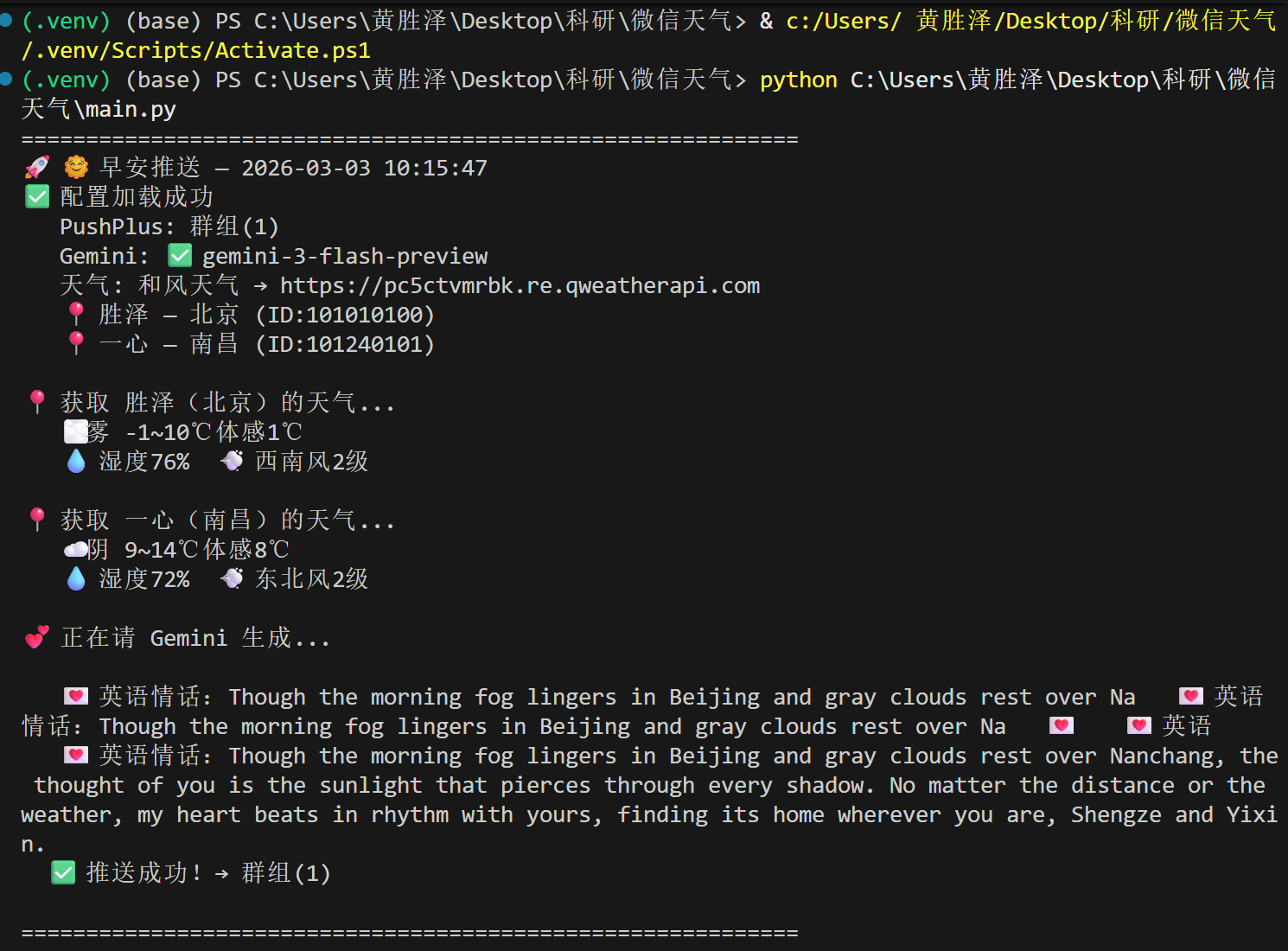
Method 1: Local Manual Run
bash
python main.py --mode morningReads .env → calls weather API → calls Gemini → builds HTML → PushPlus → WeChat 📱
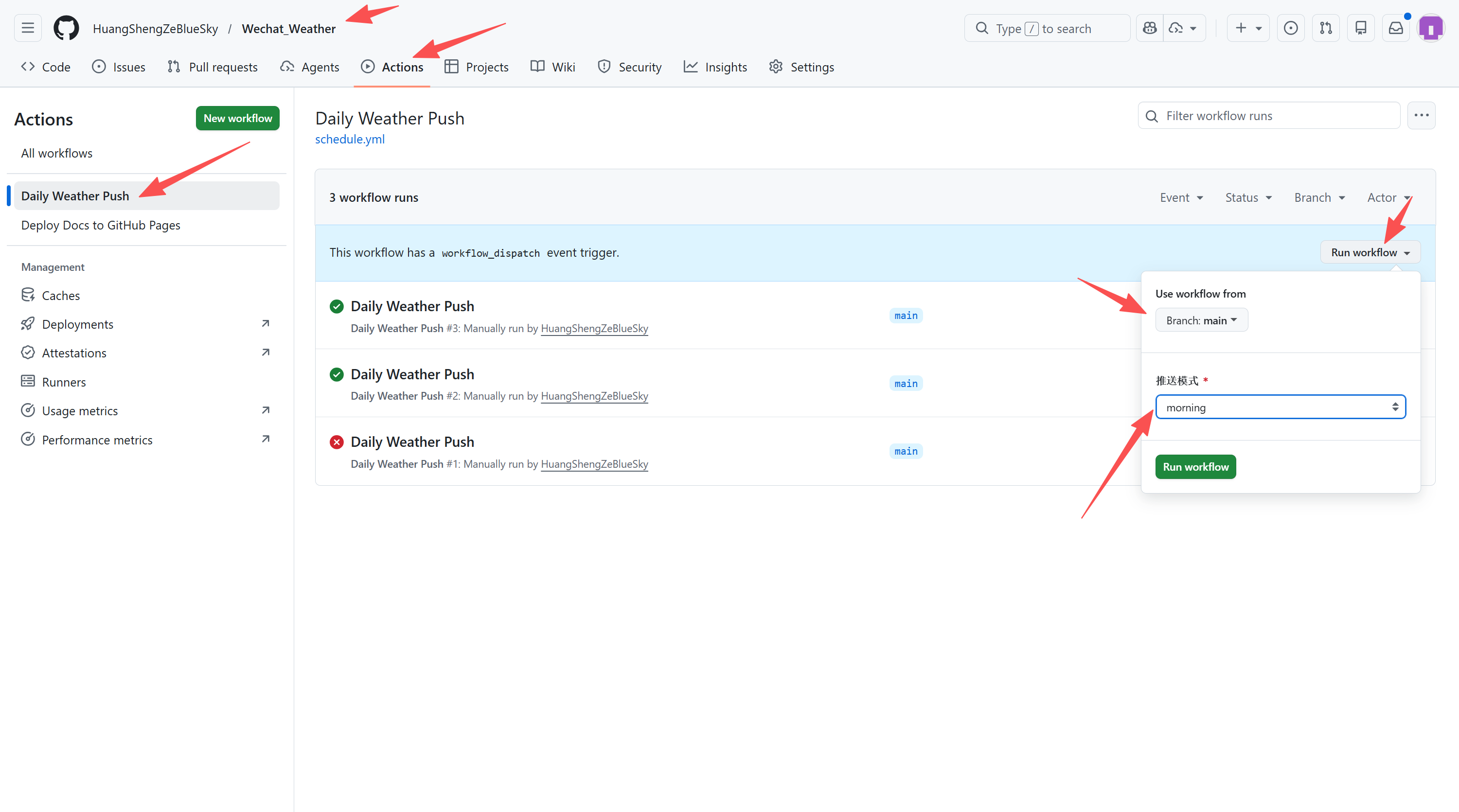
Method 2: GitHub Actions Manual Trigger
- Go to repo → Actions → Daily Weather Push
- Click Run workflow → choose mode → run
Method 3: GitHub Actions Scheduled (Recommended)
After pushing code to GitHub, it runs automatically:
| Cron (UTC) | Beijing Time | Mode |
|---|---|---|
30 23 * * * | 07:30 daily | 🌞 Morning |
0 14 * * * | 22:00 daily | 🌙 Evening |
Full Run Process
[UTC 23:30] GitHub scheduler triggers cron
  ↓
Allocate fresh Ubuntu VM (~10s)
  ↓
Step 1: checkout code (~3s)
  ↓
Step 2: install Python 3.10 (~15s)
  ↓
Step 3: pip install dependencies (~20s)
  ↓
Step 4: determine push mode from UTC hour (~1s)
  ↓
Step 5: inject Secrets as env vars + run script (~30s)
  ↓
Destroy VM — fresh every time, stateless
⏱️ About Delay
GitHub Actions cron has a 5–15 minute delay. This is a known GitHub limitation. Actual push time may be 07:30–07:45.
Final Message Format
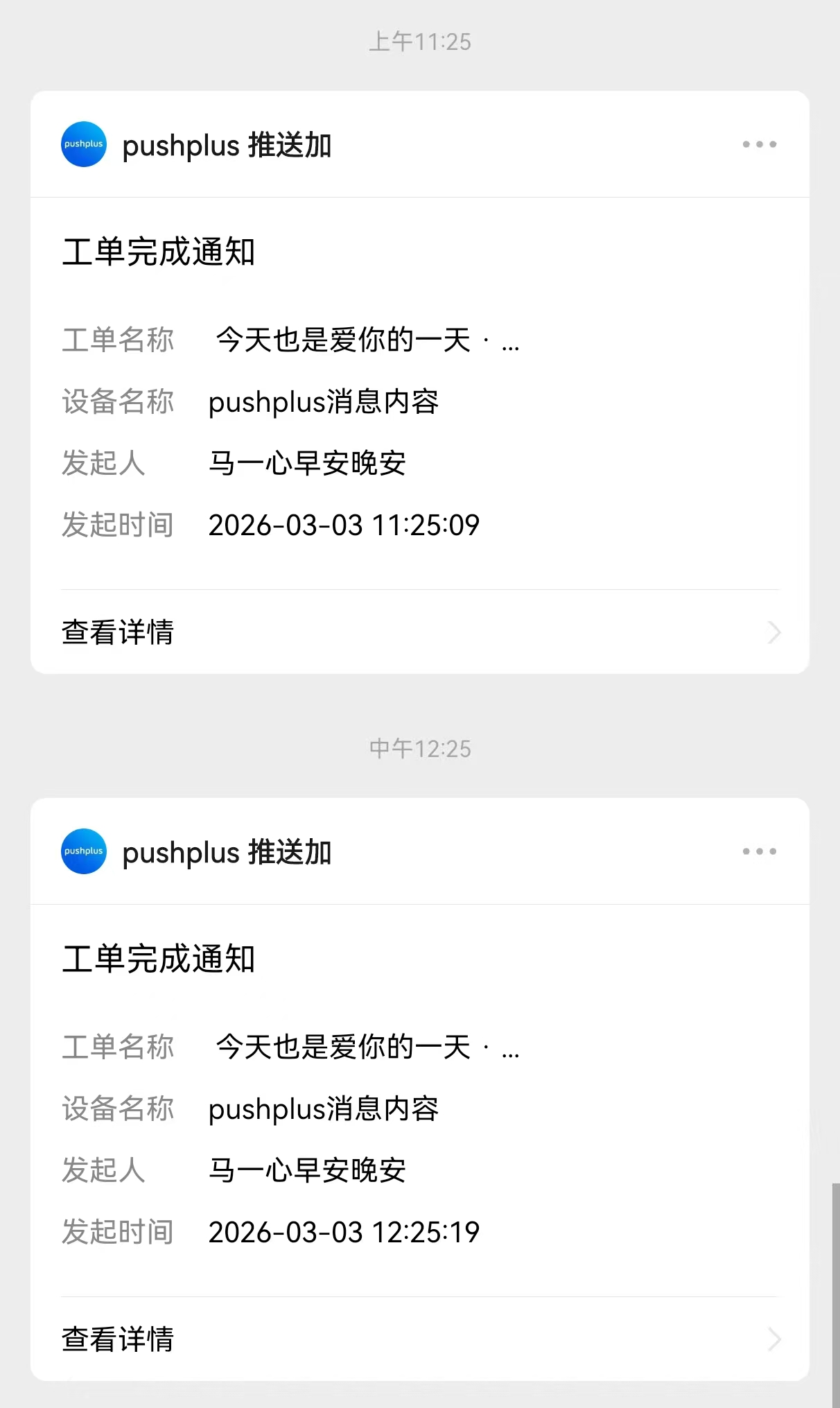
All methods produce the same beautiful HTML card with:
- Title + date
- Mode indicator (🌞 morning / 🌙 evening)
- Weather for each city (temp, humidity, wind, sunrise/sunset, UV)
- Gemini AI commentary (Chinese)
- Love message (English)
- Random greeting